MCP Authentication Loop Blocker (Cursor & Antigravity IDE)
This bug completely breaks the Model Context Protocol (MCP) functionality, making it impossible to integrate Wonder with any AI development tools (tested in both Cursor and Antigravity IDE). For anyone trying to build with Wonder under hackathon time constraints, this is a total showstopper.
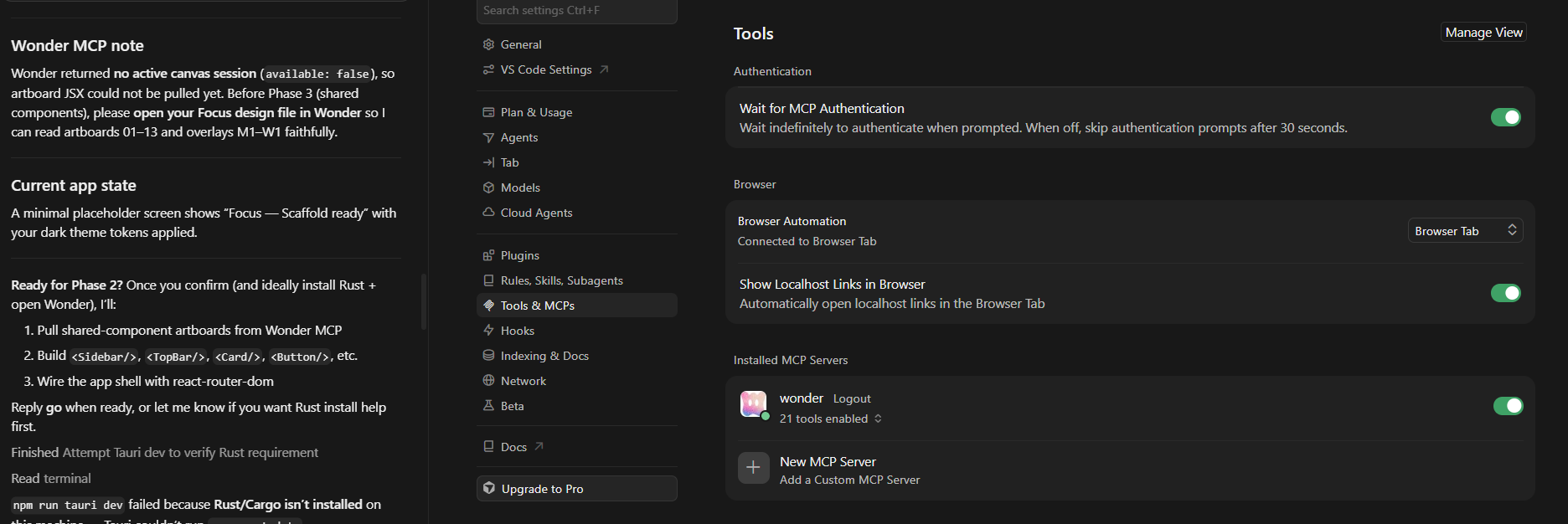
The Wonder MCP server successfully establishes a connection at the IDE panel level (showing as "Connected"), but completely fails during runtime execution/chat initialization.
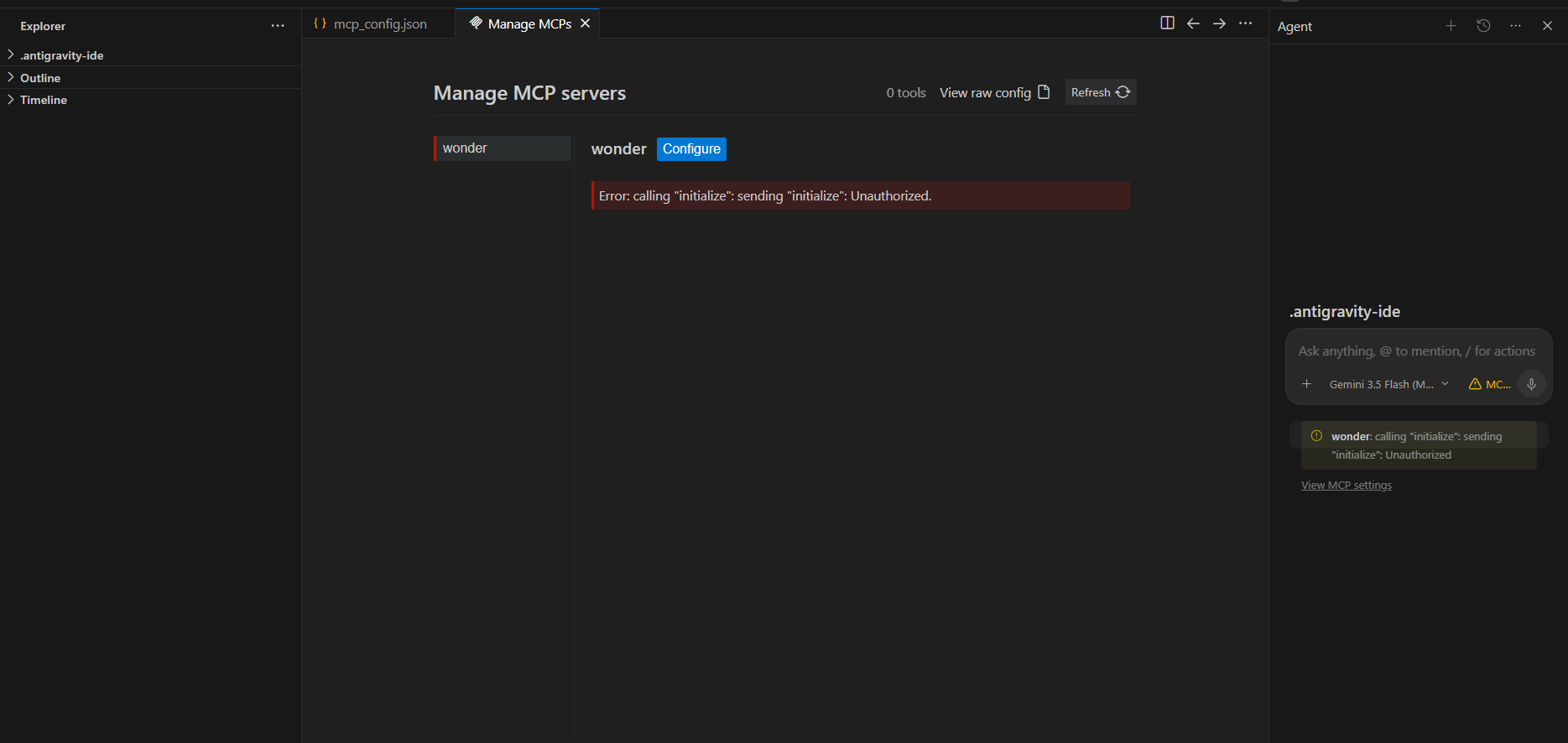
When attempting to invoke the MCP server within the AI chat, it triggers an immediate authorization failure with no provided mechanism, UI prompt, or documentation on how to pass authentication credentials.
Furthermore, navigating directly to the MCP server URL endpoint returns an explicit authorization required error, indicating that the server lacks a proper public hand-shaking or local token validation flow for external IDE clients.
Log in to comment and vote
Comments1
Nemanja Gemović
Jul 6
Hi,
From the Cursor screenshot you sent it looks like you don’t have any Wonder files open in your browser - this is currently a prerequisite for the Wonder MCP to know which canvas you want to work on and to function properly. Opening your desired file and retrying the MCP workflow should result in success!
Regarding the Antigravity issue, could you please share more info regarding your config and the issues you encountered?
Best,
Nemanja
Founding AI Engineer @ Wonder